

FOR PLAYERS. FOR CLUBS.
Small sessions.
Real progress.
Build a juggling routine with timed drills, personal bests, and training assigned by your club.
Explore club training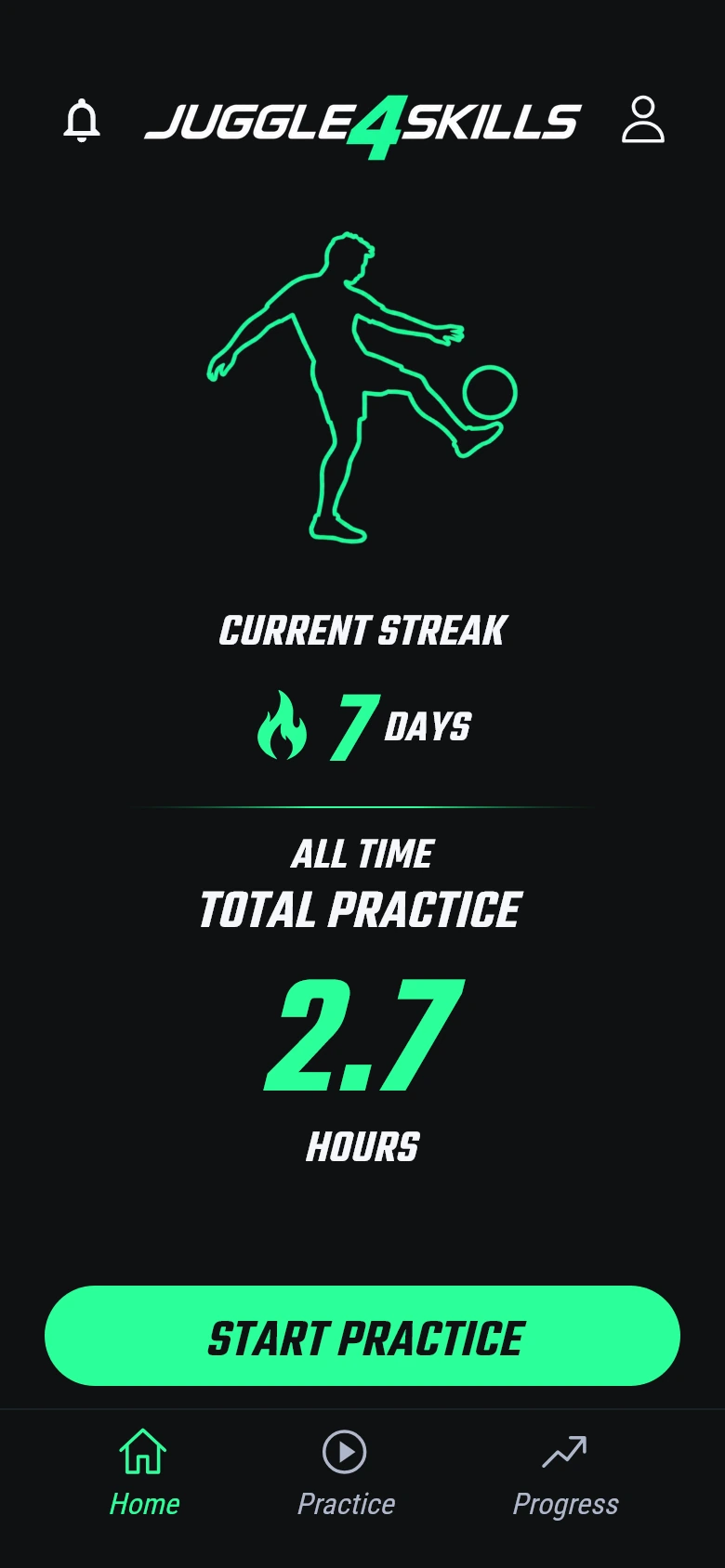
- 1
Choose your drill
and set a time. - 2
Follow the countdown.
Start juggling. - 3
Save your high score.
Watch your progress.
INDIVIDUAL TRAINING
Your practice. Your pace.
Right foot, left foot, alternating feet, and head juggles.
A simple routine, with your progress in one place.
Build your routine
Your current streak and all-time practice, together on Home.
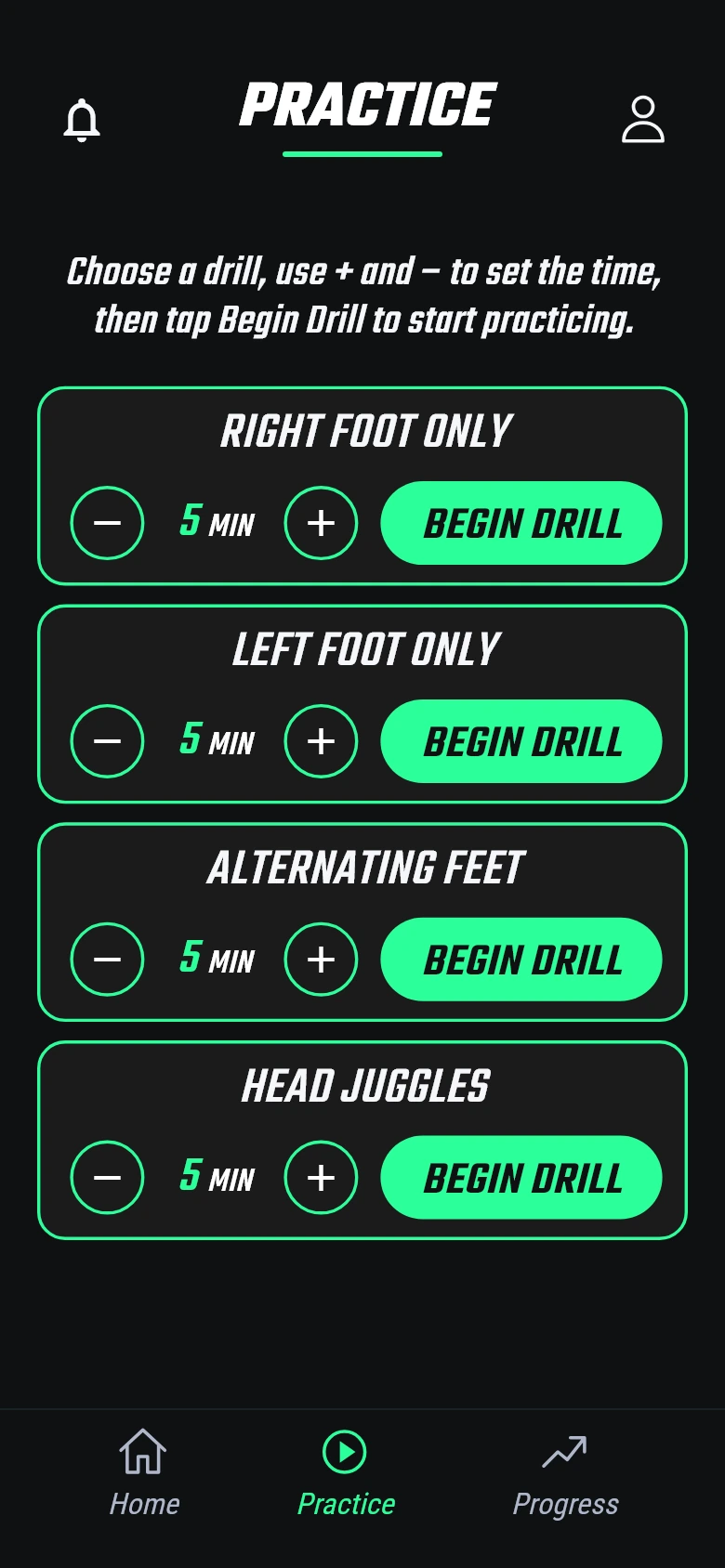
Make time for practice
Choose a drill, set your time, and follow the countdown.
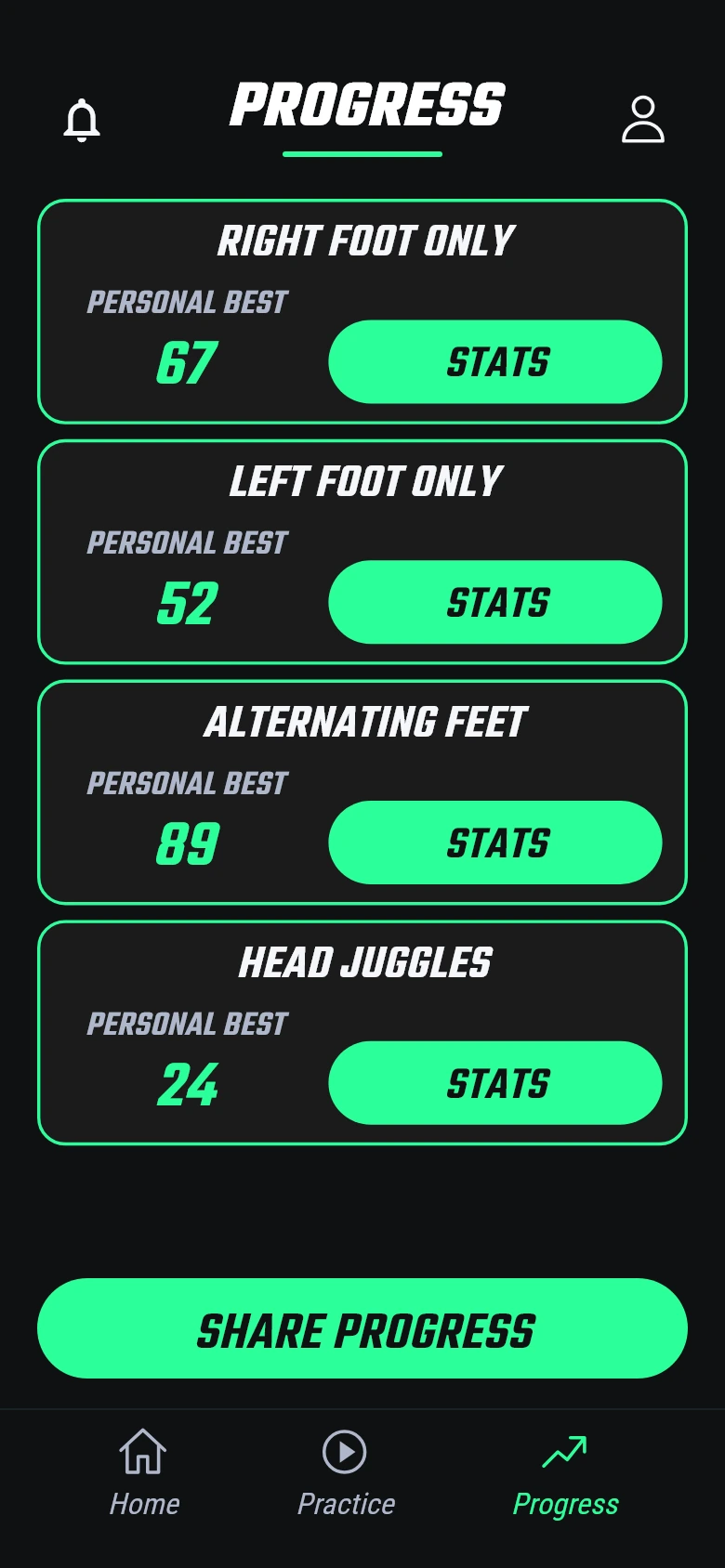
See your progress
Track practice time and personal bests for each drill.
KNOW YOUR NUMBERS
Every session adds up.
Open Stats for a closer look at each drill.
Switch between session high scores, weekly averages, and monthly averages.
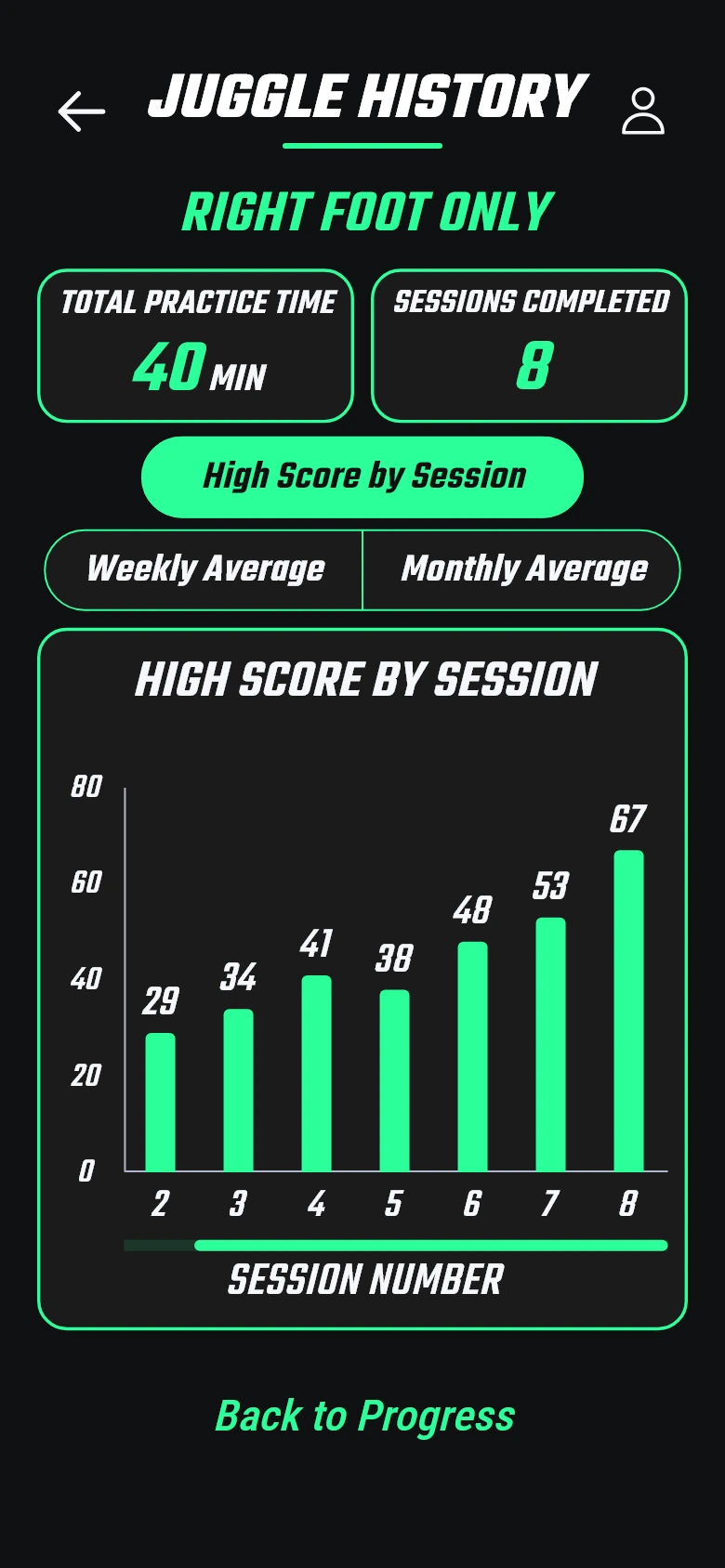
High score by session
See the best score you saved in each session.
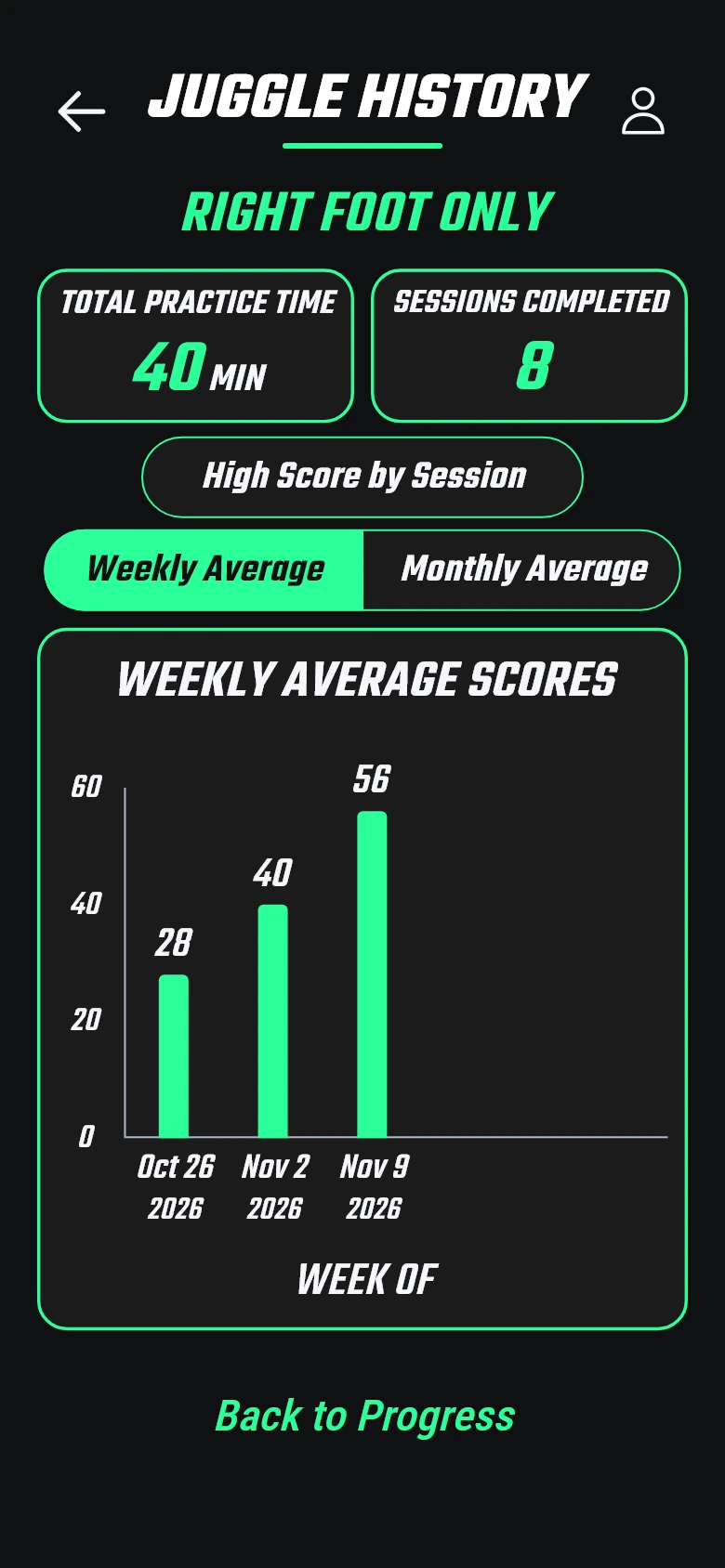
Weekly averages
Follow your scores from one week to the next.
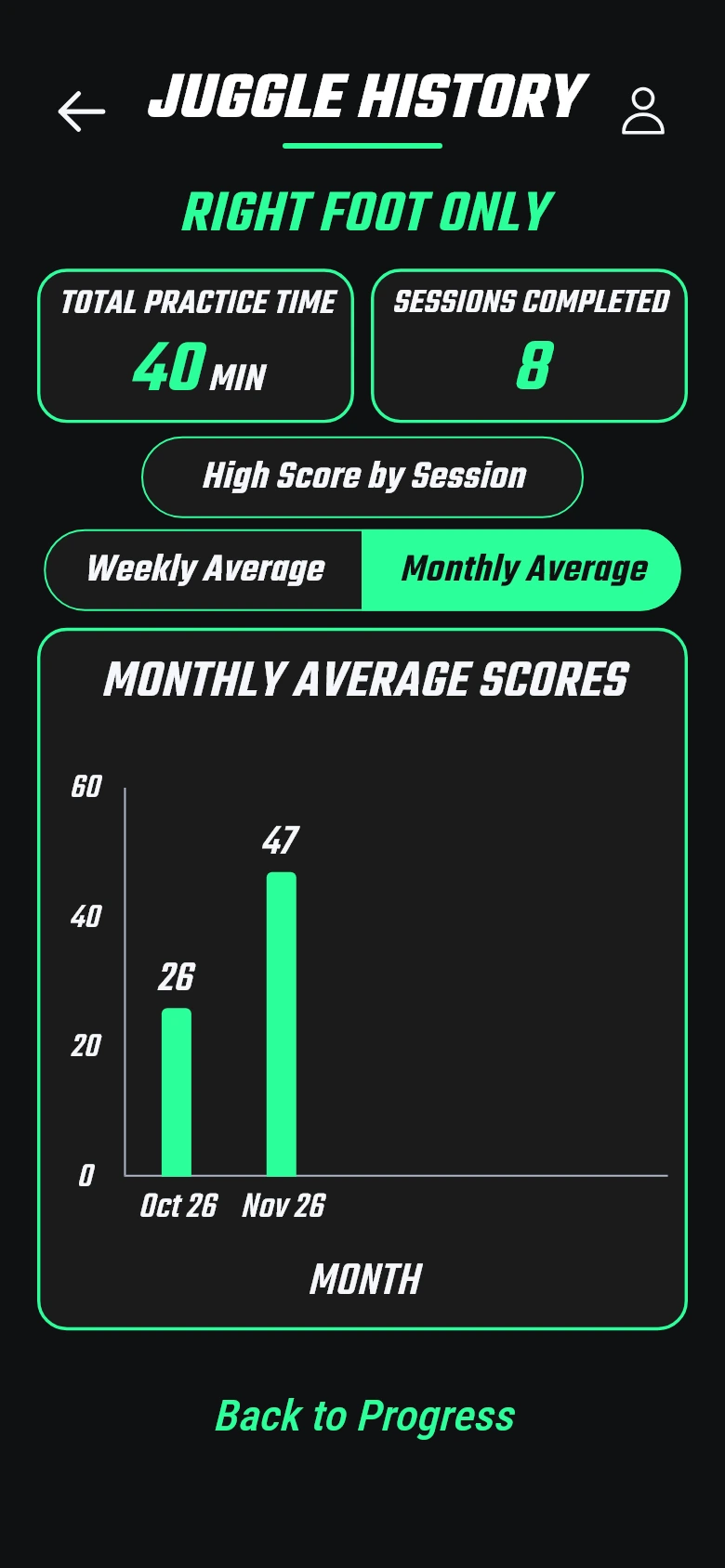
Monthly averages
See the bigger picture as you keep practicing.
CLUB TRAINING
Your club. Their daily routine.
Set the drills and minutes in your club’s admin portal.
Players see the assigned training for their age group in the app.
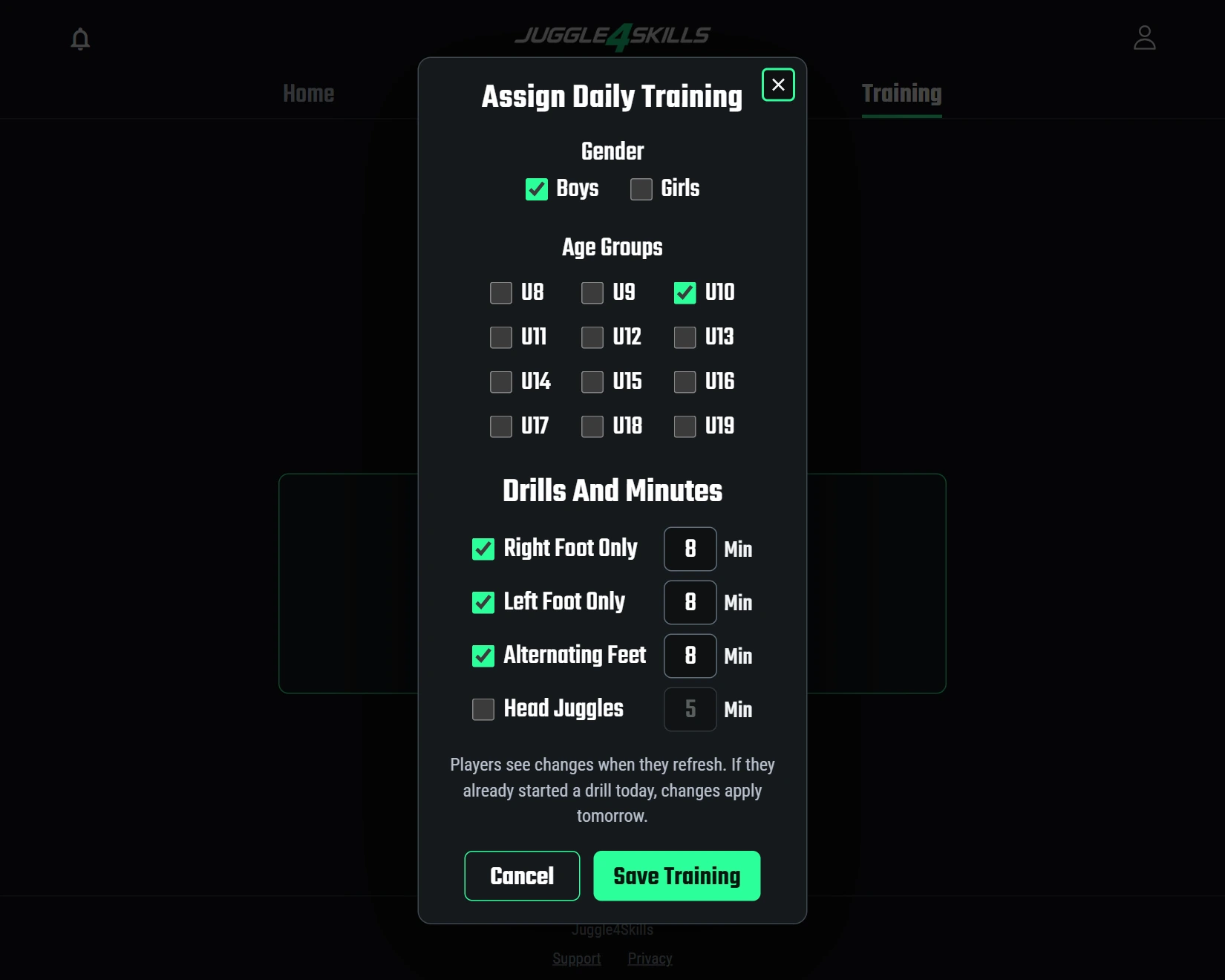
Set the session.
Choose the age group and boys or girls, pick your drills, and set the time for each.
Shown here: U10 Boys.
Three drills. Eight minutes each.
Ready when they are.
Your club’s badge on Home. Their assigned drills on Practice.
Players complete their daily training, then unlock extra practice with times they choose themselves.
Ask about club access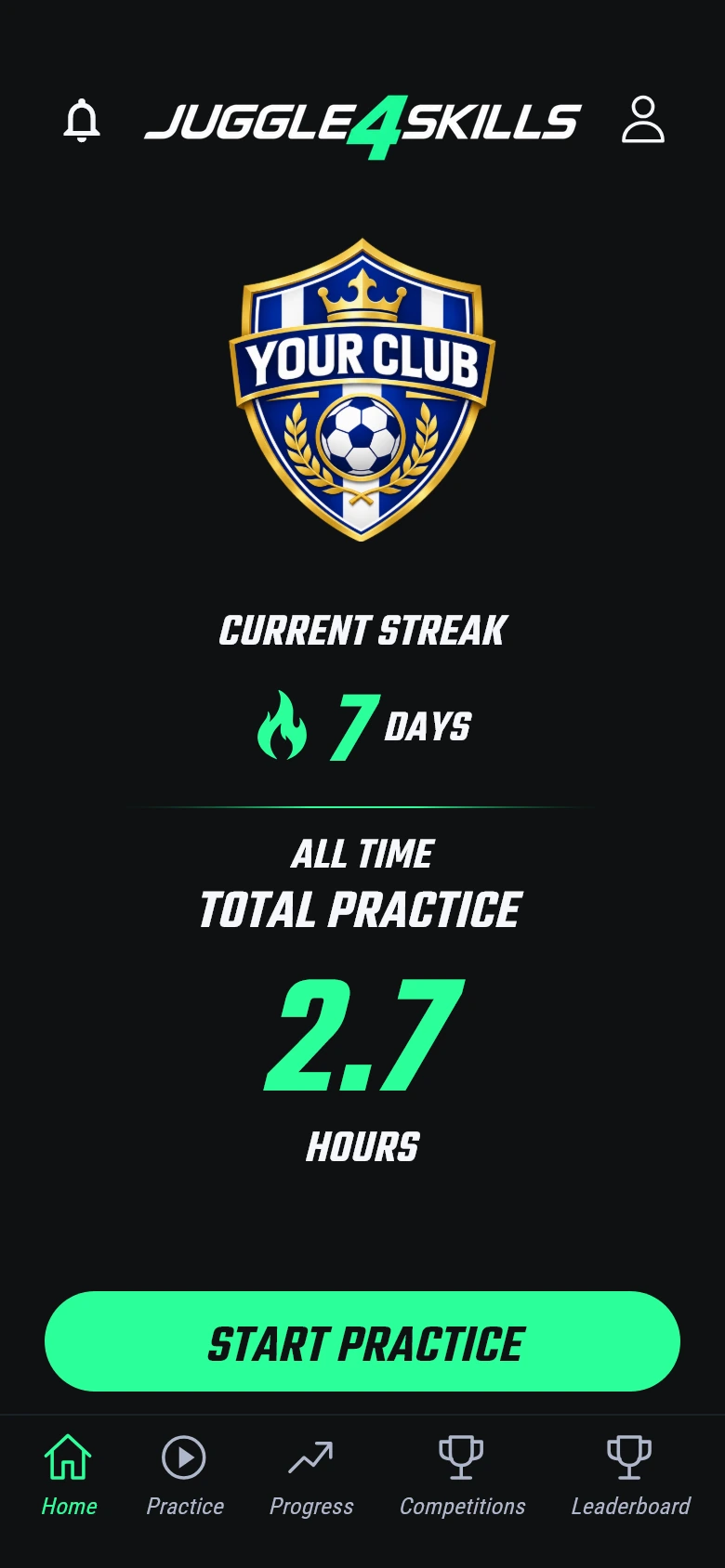
Your club’s Home
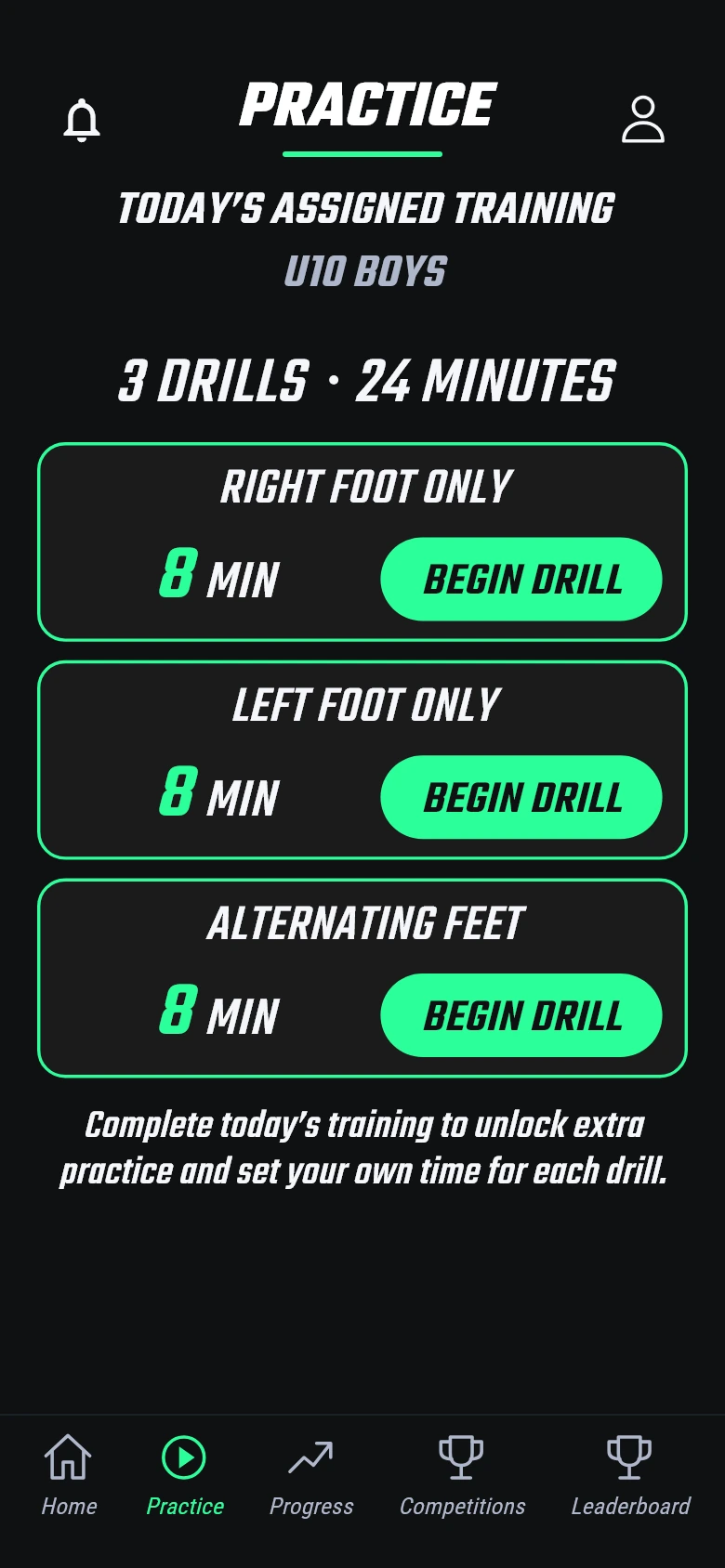
Today’s assigned training
Screens show the current app with example training and progress. “Your Club” is a demonstration badge.
KEEP THE BALL MOVING